Time and billing
The time report, utilisation, hourly rates, and turning billable hours into an invoice.
/admin/reports/time — every hour your team has logged, what it is worth, and the button
that turns it into an invoice. Time is logged on tickets and
tasks; this page is where it adds up.
#Choosing a period
Preset ranges, or From and To with Apply. The range is matched against each entry's worked-at date — the day the work happened, not the day it was typed in. A late entry dated last month lands in last month's totals.
A client filter narrows the whole report to one account.
#The report
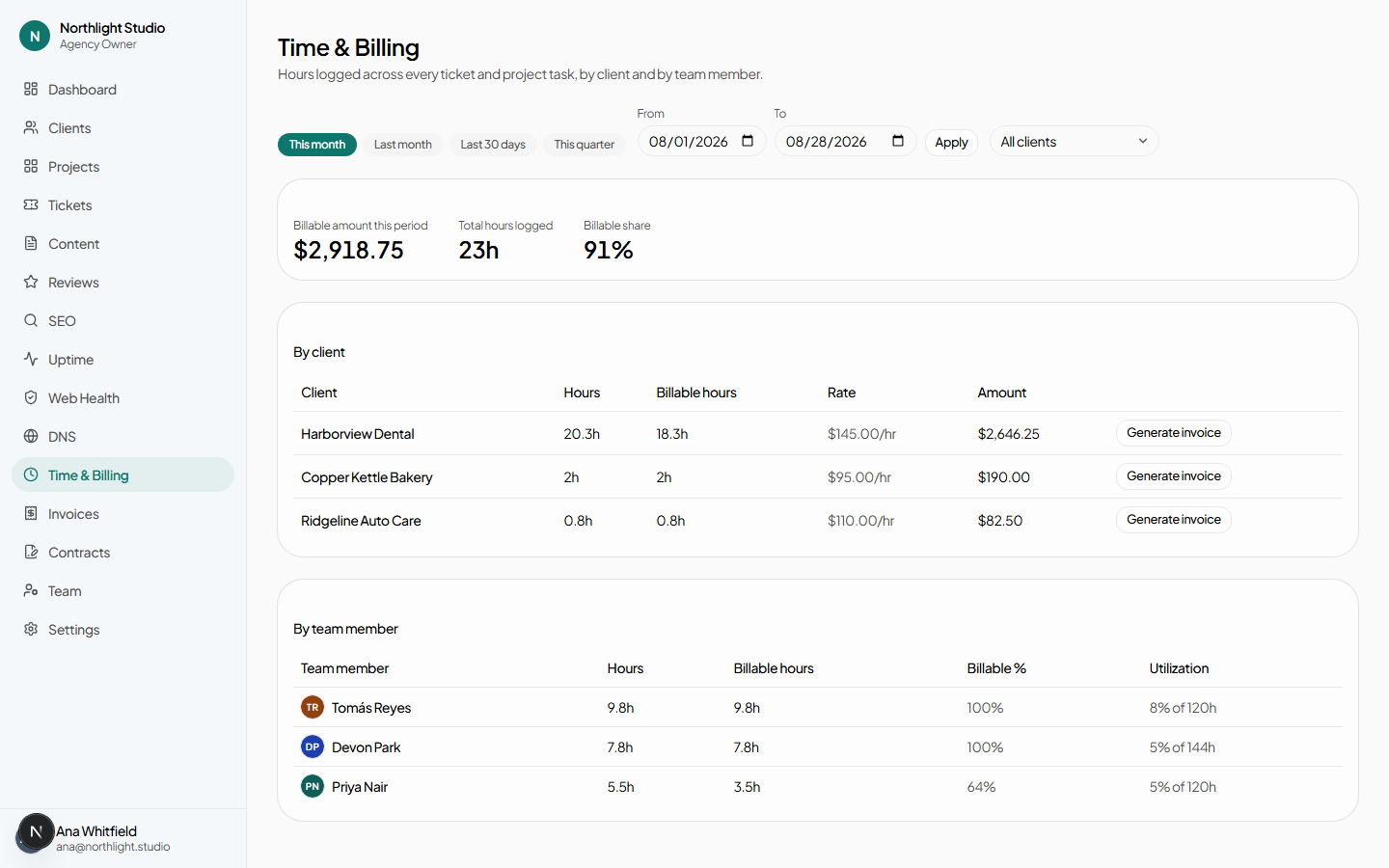
One row per client, showing hours logged, billable hours, and what those billable hours are worth at that client's rate. The client name links to the client.
#Clients with no hourly rate
A client with billable hours and no hourly rate shows — for the amount and cannot be invoiced. The warning links straight to that client's Settings tab, where the rate is set. See Hourly rate.
#Utilisation
Utilisation compares hours logged against each person's weekly capacity, set per member on the Team page. Without a capacity there is nothing to divide by, and the column stays empty — the report links to the Team page to say so.
#Generating an invoice
Generate invoice on a client row creates a draft invoice from that client's billable time in the selected period, at that client's rate. Each time entry's note becomes a line item, so an invoice explains itself.
The draft opens in Invoices, where it can be adjusted before sending.
#A workable monthly routine
- Set the range to last month.
- Deal with the warnings first. Any client showing a dash needs a rate before anything else is worth doing.
- Scan the billable-versus-logged split. A client with lots of logged and little billable is either being over-served or being logged against wrongly.
- Generate each client's invoice.
- Review each draft, set a due date, and Mark sent. See Invoices.
#What the client sees
Nothing on this page. Clients never see the time report, individual entries, or utilisation. A client-side user holding agency.view_billing — the Client Owner role does — sees their own invoices, and only their own.