Reviews
Collecting reviews from Google and drafting the replies your team posts.
/admin/reviews — the reviews your clients have received, and the replies your team
writes for them. The module is called Reputation in the module catalogue.
#Getting reviews in
Google reviews arrive through the Sync Google reviews button on a location, on the client's Profile tab. The location needs a Google Place ID first — either typed in, or found with Find from address.
A client with several locations syncs each one separately, because a review belongs to a place rather than to a company.
#The queue
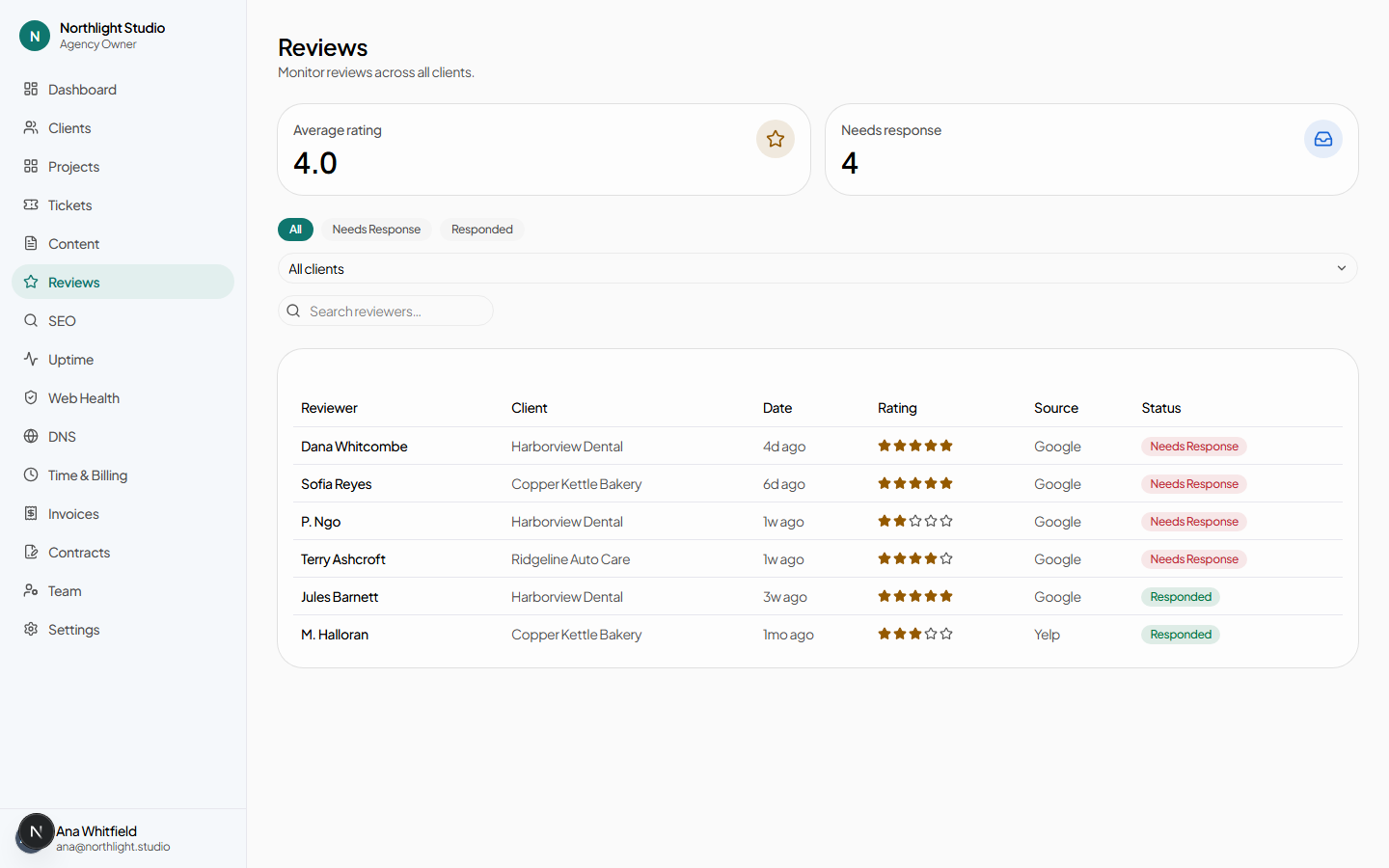
- All / Needs Response / Responded.
- Client filter and Search reviewers….
- Each row opens the review.
The dashboard's Reviews needing a reply tile links here pre-filtered.
#Replying
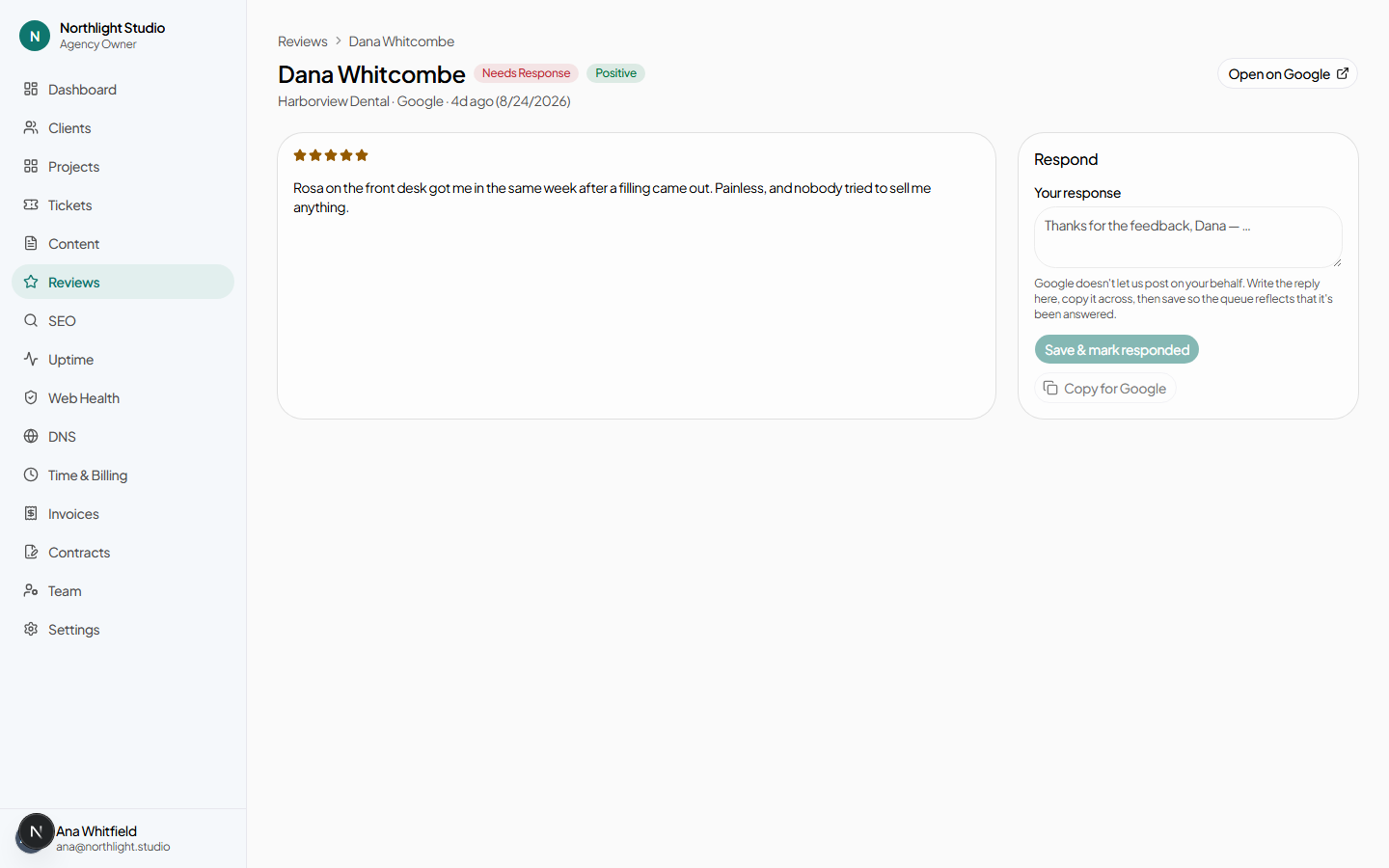
On a review you get:
- The review itself — reviewer, rating, body, source and date — plus its recorded sentiment.
- Open on {source}, in a new tab, when a Place ID or social URL is on file for that client. This is where you actually post the reply.
- A Response body box.
- Save & mark responded — or Update response once one exists.
- Copy for {source}, which puts the reply on your clipboard.
The working order is: write it here, copy it, open the source, paste it, post it.
#Needs another look
Needs another look moves a responded review back to needing a response, behind a confirmation. The text you already wrote is kept — this is for the case where the reply went out and the situation changed, not a way to start over.
#What the client sees
With the Reputation module enabled and visible, the client's Reviews page is read-only: each review, its rating, its sentiment, and your response. They cannot write or edit a reply.
That is usually the point — the value to a client is seeing that every review got answered, not being handed the job.