The audit log
Who did what, when, and from where — append-only, searchable and exportable.
/admin/settings/audit — every action anyone took in your agency, who took it, when, and
from what address. It is the answer to "who changed this", and it is designed so that the answer
cannot be edited afterwards.
#What is recorded
Every mutation. Creating a client, changing a module, sending a contract, generating an invoice, inviting or terminating a person, starting a view-as session, running a paid SEO check — each writes an entry naming:
- Who — the person, or the system when a background job did it.
- What — the action, from a fixed vocabulary rather than free text.
- When.
- From where — the request address.
- The detail — a structured record of what changed, expandable on the row.
#Finding something
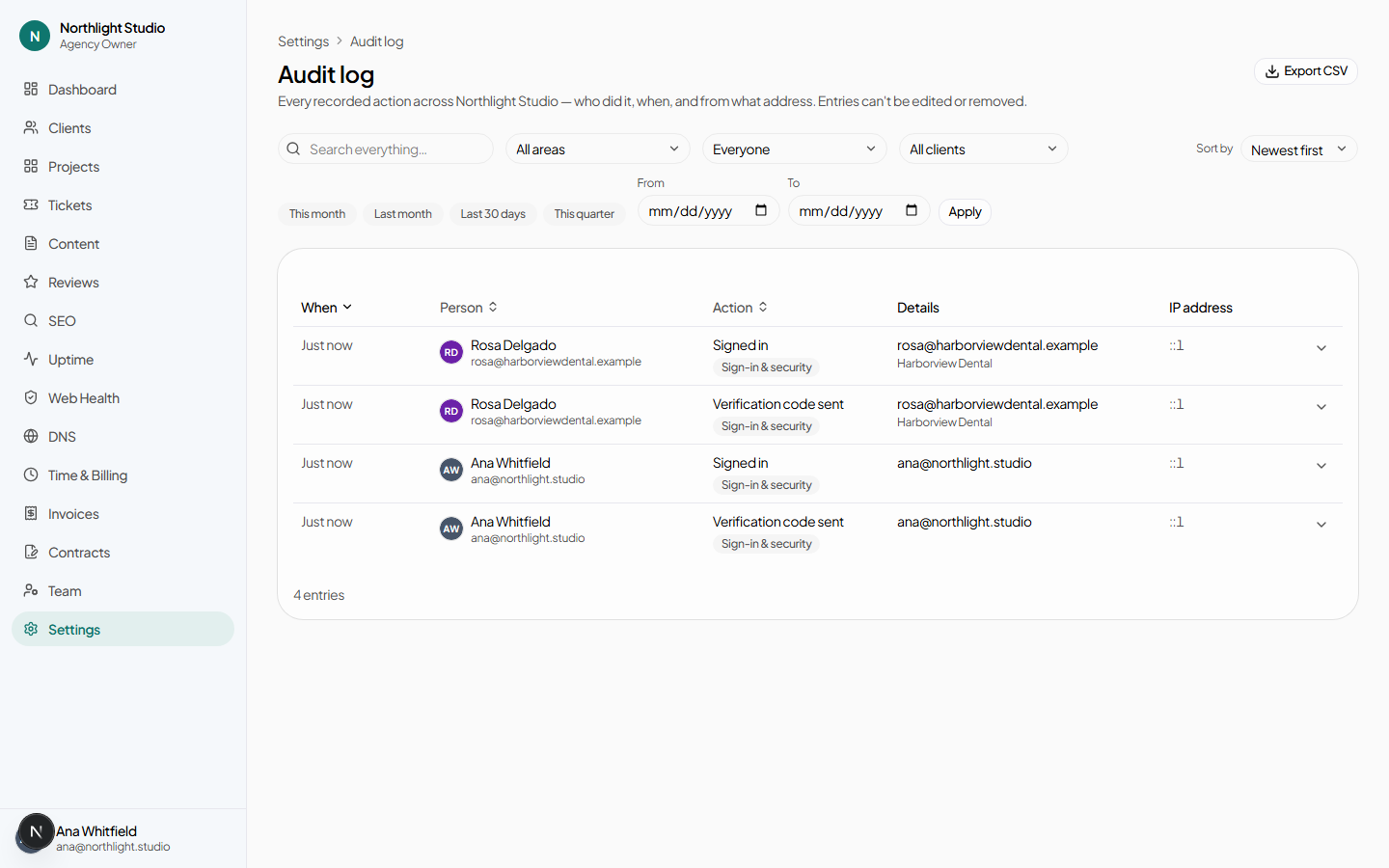
| Control | What it does |
|---|---|
| Search everything… | Matches the person, the action, the address and the recorded detail. |
| Filter by area | Clients, contracts, billing, jobs, auth, and so on. |
| Filter by person | One actor. |
| Column headers | Sort. |
| A row | Expands to show the recorded detail. |
| Clear filters | Back to everything. |
#Exporting
Export CSV downloads the log. It is scoped exactly as the page is — your agency and nothing else — and honours the filters you have applied.
#Questions this page answers well
- Who turned that module off?
- Filter by area, search the client's name, expand the row.
- Did anyone open this client's portal as them?
- View-as and impersonation sessions are recorded with the reason the operator typed. See Security → impersonation.
- When did that contract actually go out?
- The audit log will tell you. For the contract's own evidence — viewed, verified, signed — read the hash-chained ledger on the contract page, which is a stronger record built for exactly that purpose.
- What did we spend last week, and on whose behalf?
- Paid actions are audited, but the readable answer is the Search data spend · last 30 days disclosure on the client's SEO page.
#The platform's view
Platform operators read the same table unscoped — every tenant at once, plus entries that belong to no tenant, such as a platform administrator being invited. An agency-scoped reader cannot reach that view, and hand-editing an agency id into the URL does not produce it: the scope is decided by who is asking, not by anything in the request.