Contracts and e-signature
Templates, drafting, signers, the signing ceremony, and the evidence that survives a dispute.
/admin/contracts — templates, drafting, sending for signature, and the evidence
afterwards. The whole module is built around one question: if this agreement is disputed in two
years, what can you show?
#Templates
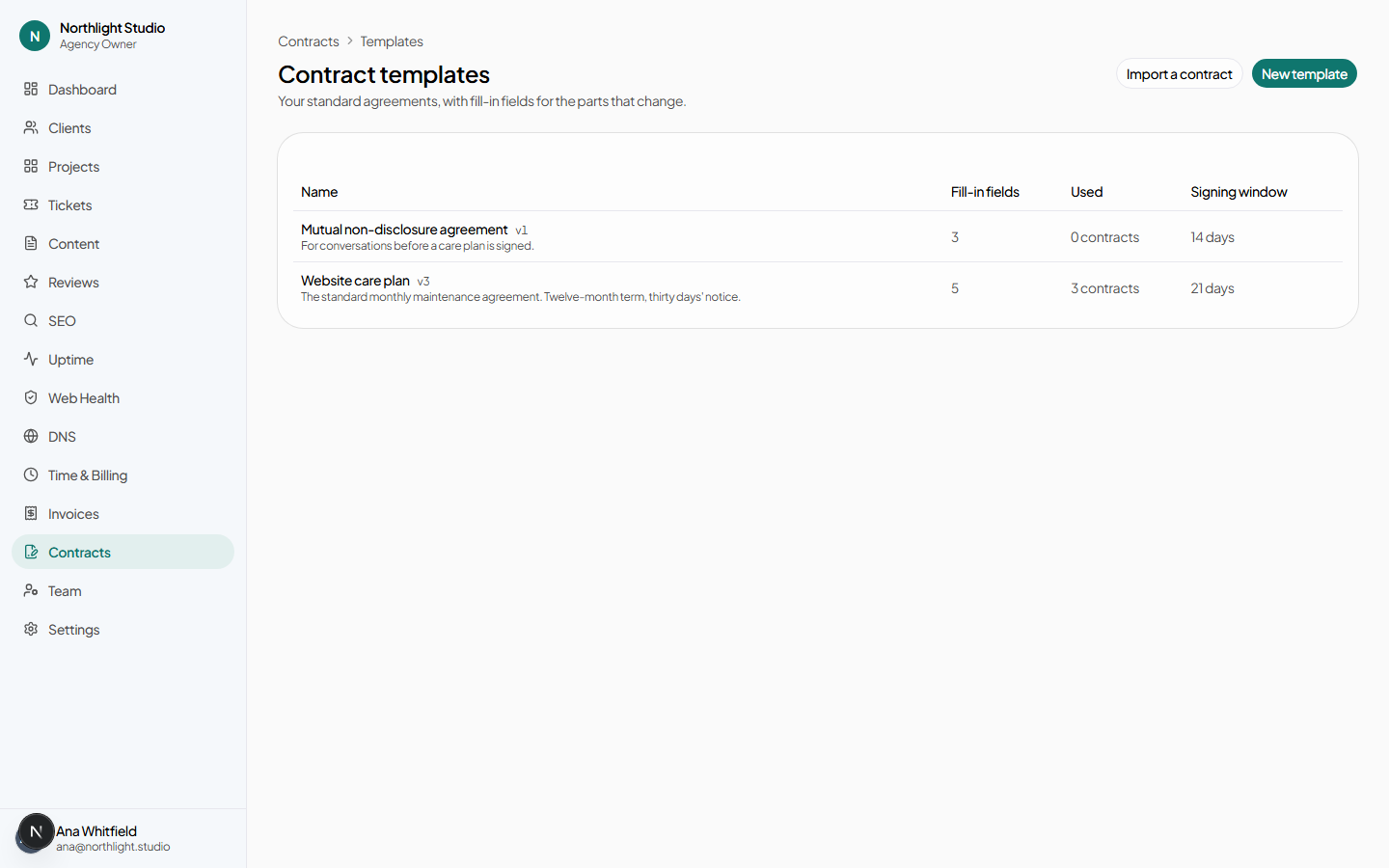
/admin/contracts/templates. A template is a reusable starting point — your MSA, your
SOW boilerplate, an NDA.
#Building one
New template asks for:
- Name and description.
- Body — the wording.
- Signing window — how many days a contract drafted from this template stays open by default.
- Fill-in fields — a key, a label and a type for each. These become the inputs on every contract drafted from the template, and all of them must be filled before it can be sent.
#Rewriting a passage
Select some text, choose a style, and press Rewrite selection. The proposal appears beside the original with Use this and Discard — nothing is replaced until you say so. This is an AI call and is bounded by an allowance.
#Importing a contract you already have
/admin/contracts/templates/import. Paste the full text of an existing agreement and
press Import. It is structured into a template — body plus fill-in fields — and
lands in the template form for review before it is saved. Nothing is created behind
your back.
Bounded by an allowance, with the button disabled at zero. Start over with a different contract clears it.
#Versions
Templates are versioned, and every contract records the template version it was drafted from. Editing a template never reaches back into agreements already in flight or already signed — a contract copies the wording rather than pointing at it.
Archive hides a template from the picker without deleting it; Restore brings it back.
#Drafting a contract
New contract:
| Field | Notes |
|---|---|
| Start from | A template, or Blank contract. |
| Title | Prefilled from the template name. |
| Client | Or No client — a prospect or one-off counterparty. A contract does not need a client record to exist, which is what makes it usable before the deal is won. |
| Effective date | When the agreement starts. |
| Signing deadline | Prefilled from the template's signing window. |
Create draft opens the editor.
#The editor
/admin/contracts/[id]/edit. Title, body, effective date, signing deadline, and one
input per fill-in field the template declared.
Signers
Each party carries:
- Side — agency or client.
- Role — signer, or copy only: receives the executed copy and can view it, but has no signature line.
- Name, email, title, organization.
- Signing order — parties with a later order do not receive their link until the earlier ones have signed.
- Access code — optional. A code you give the signer by some other channel, which they must enter before the agreement opens at all.
Exhibits
Attach files. PDFs and images are bound into the signed document; other file types are listed in it with their SHA-256 hash, so what was attached is provable even when it could not be rendered inline.
#Sending for signature
On the contract page, Send for signature is disabled while blockers remain — an unfilled template field, no signers — and the page lists what they are.
Once sent, the contract moves through:
| Status | Means |
|---|---|
| Draft | Being written. Editable, deletable. |
| Sent | Out for signature. Body frozen. |
| Partially signed | At least one party has signed. Distinct from Sent because somebody has already committed: it can no longer be edited or quietly re-sent. |
| Completed | Everybody has signed. Sealed. |
| Declined | A party declined. This ends the agreement for every party. |
| Voided | Withdrawn by the agency, with a reason. |
| Expired | The signing deadline passed with it outstanding. Written into the ledger by a background job, not merely inferred from a date. |
#Resending a link
Resend on an outstanding signer sends a fresh link. The new link invalidates the previous one — only the newest works. This is why a signer who says "I clicked the link and it says it is not valid" usually has an older email open.
#Withdrawing
Withdraw takes a required reason and voids the contract. Every party is told, and the reason is recorded and shown to them.
#The signing ceremony
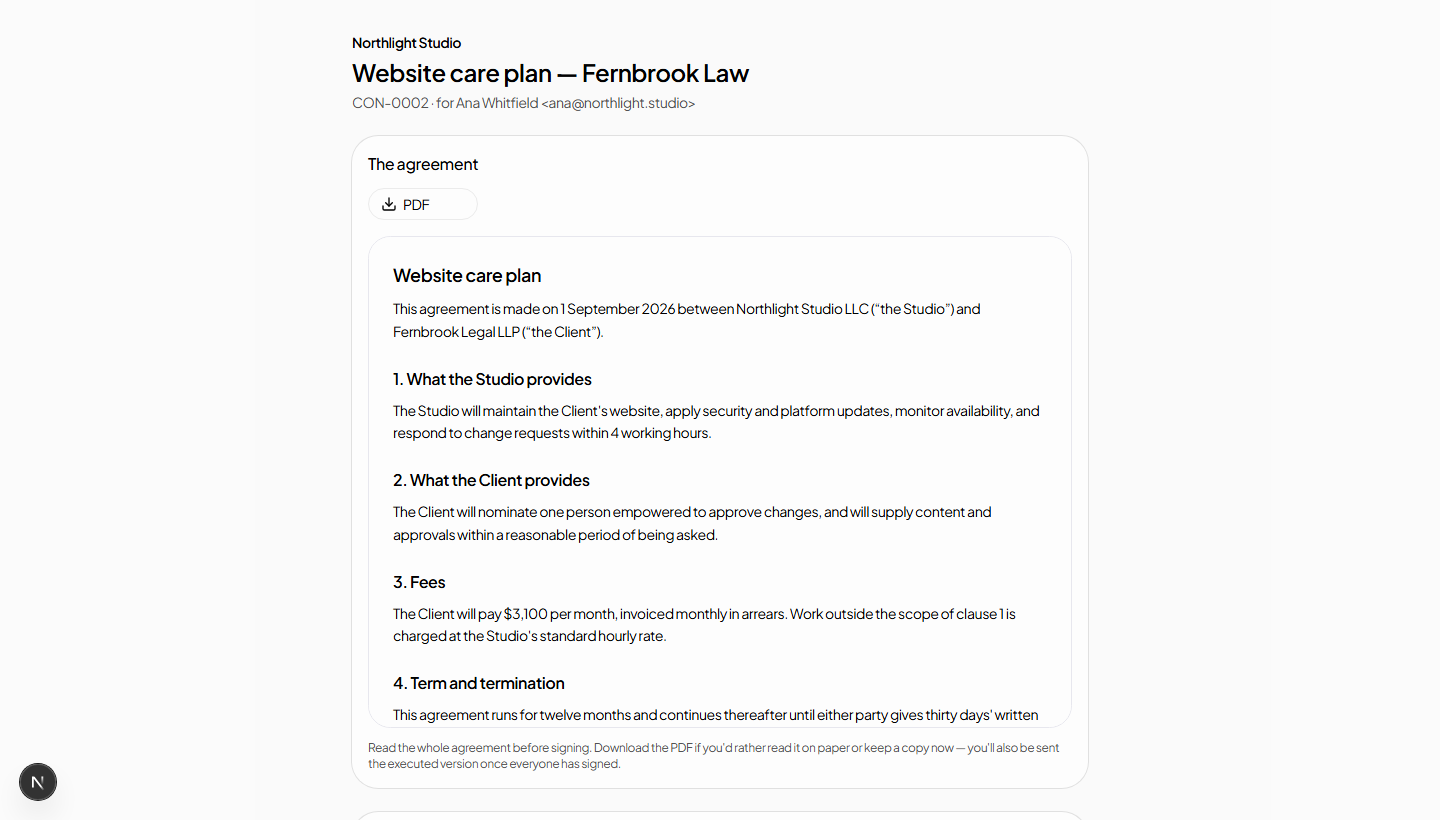
Signers do not sign inside the portal. They sign at a public link — /sign/[token] —
and the link plus the code that follows it is what ties the signature to a person.
- Access code, if the sender set one. Without it the agreement does not open.
- Read. The signer must open the PDF; the e-sign consent checkbox stays disabled until they have. Then Agree and continue.
- Identity. Email me a code sends a six-digit code to the signer's address; it expires in ten minutes, and the verification stays fresh for thirty.
- Sign. Full legal name, then either Type it — choosing from a set of signature faces — or Draw it on a signature pad. Sign the agreement commits it.
Declining goes through the same identity check as signing, because a decline is as consequential as a signature. It ends the agreement for every party.
#Your own signature
When you are an unsigned agency signer, the contract page shows Sign this contract — and it takes you through the same public flow: the same disclosure, the same one-time code, the same evidence. Your signature is not privileged by being logged in.
#What a signer may see instead of the agreement
Invalid, locked, expired, withdrawn, declined, waiting — not your turn, already signed, or complete. Each is a plain explanation rather than an error.
#The evidence
Once every party has signed, the contract is sealed and the page shows:
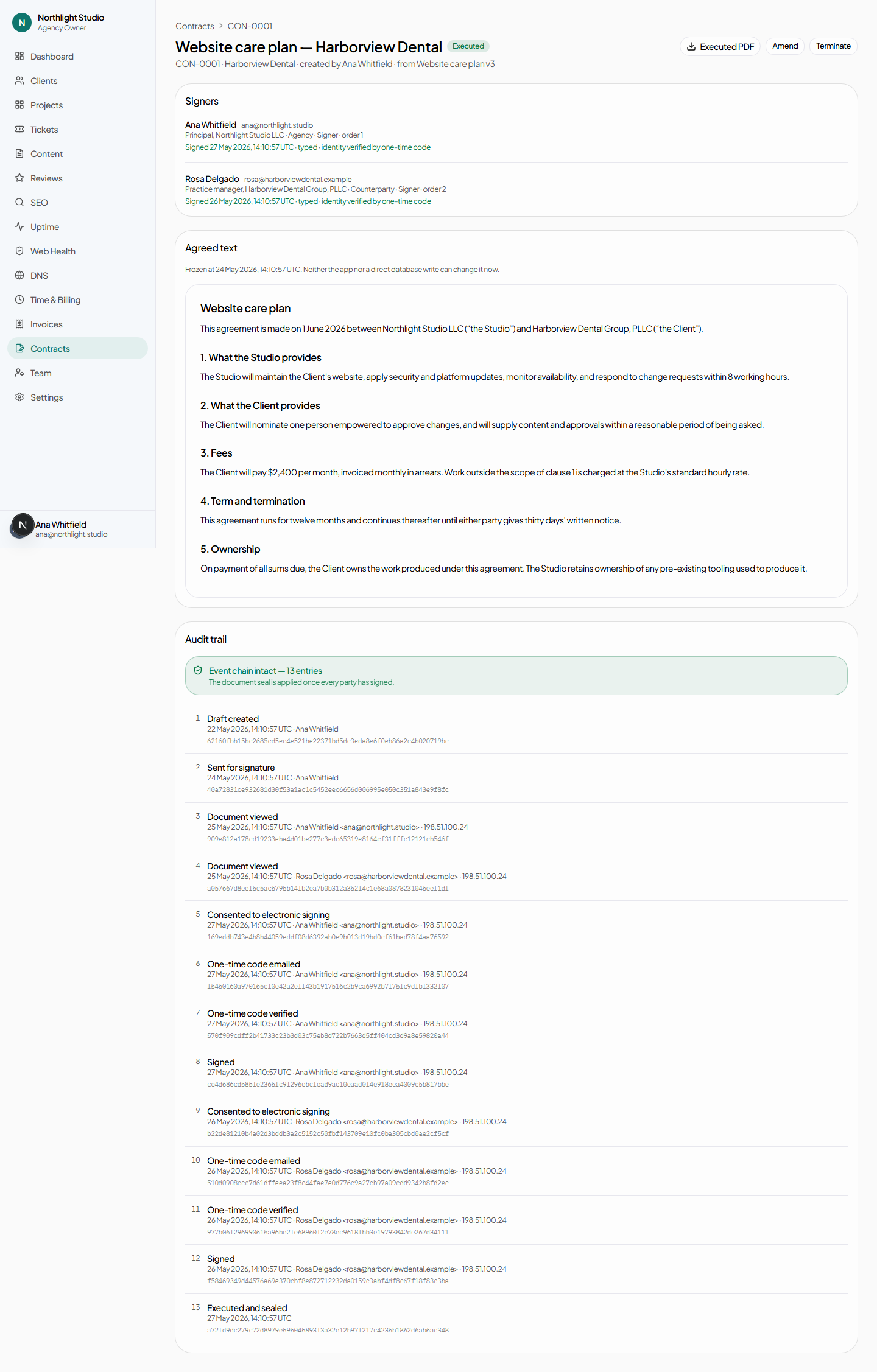
- The audit trail — a hash-chained ledger of every event: created, sent, viewed, reminder sent, identity code sent, identity verified, consent accepted, signed, completed, downloaded. Each entry's hash covers the one before it, so an entry cannot be altered or removed without breaking every entry after it.
- A verification result, rendered alongside the ledger — the chain is checked when the page is drawn, not merely asserted.
- The seal — a SHA-256 of the executed document, a signature over it, the key identifier, and the byte count.
- The executed PDF, with a certificate of completion bound into it.
#After signature
- Amend
- Drafts an amendment to a completed agreement. It links to its parent, and the parent lists it under Later agreements — so the chain of what was agreed reads in order.
- Terminate
- Drafts a termination against a completed agreement, linked the same way.
- Reopen for signature
- Available on a declined contract, when the reason for the decline has been dealt with.
#Expiry and reminders
A background job sweeps for contracts approaching or past their deadline. It sends a closing soon notice, and when the deadline passes it writes the lapse into the ledger and tells both sides. Expiry is a recorded event, not an inference from a date.
Remind on an outstanding party sends a nudge without invalidating their link.
#What the client sees
With the Contracts module enabled and contract.view, the client's Agreements page lists their contracts, badges the ones waiting on them, and offers Download signed PDF once complete. Email me my signing link re-sends their link.
Signing never happens inside the portal, even for a signed-in client. The emailed link and its one-time code are what tie the signature to a person, and a session cannot substitute for that.