Connecting a WordPress site
Installing the AgencyDash plugin on a client's WordPress site and pairing it: the module, the code, the upload, and what to check when a site will not connect.
Website Health works from a small plugin installed on the client's WordPress site, which reports what the site can see about itself. This is the whole of getting one connected: switch the module on, generate a pairing code, install the plugin, paste the code in.
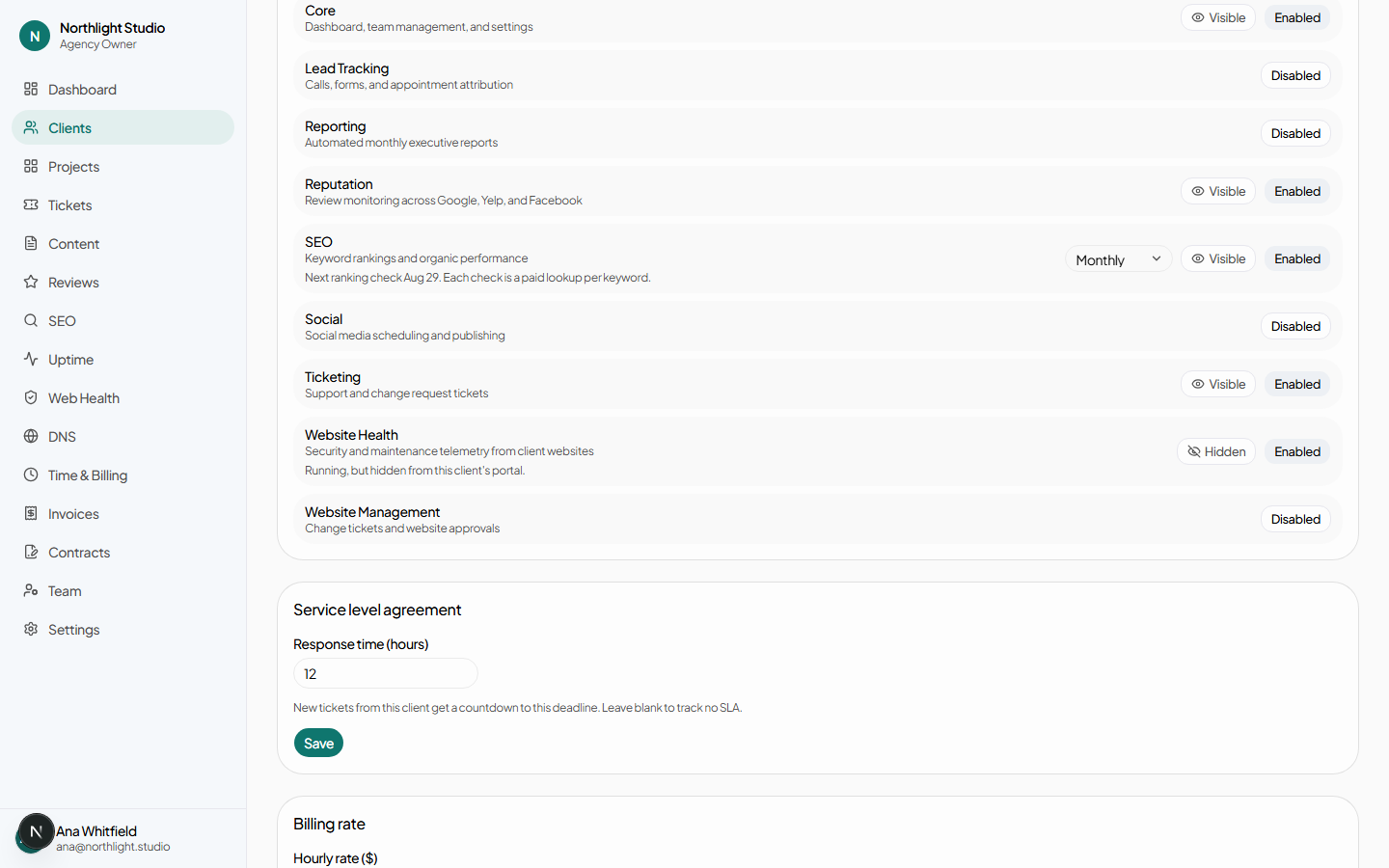
#1. Switch Website Health on for the client
On the client record, open Settings and find Website Health in the modules list. It is second from the bottom — the list is in alphabetical order by name, not by how often anything is used.
#2. Generate a pairing code
There is no Add a site form on the Web Health page, deliberately. Plugins attach to websites that are already on a client profile, so connecting one happens on the row it belongs to: the client record's Profile tab, under Websites. Not the Overview tab, which is where people look first.
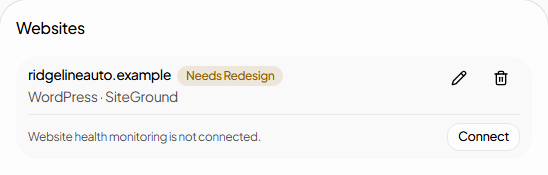
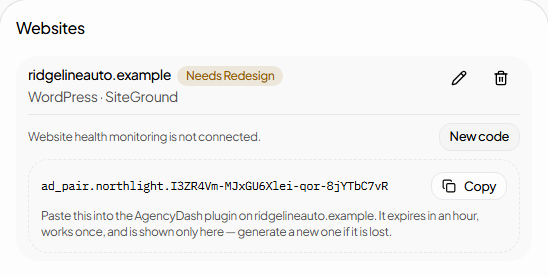
Press Connect. The code appears on the row.
#3. Install the plugin on the WordPress site
In the site's wp-admin, go to Plugins → Add New → Upload Plugin,
upload the agencydash.zip your platform operator provides, and activate it.
#4. Paste the code in
Once activated, the plugin adds Settings → AgencyDash. Before it is paired, that screen is a disclosure of exactly what the site would send and a single box to paste the code into. Nothing at all leaves the site until a code is pasted — the plugin does not even collect, because its event listeners are gated on being paired.
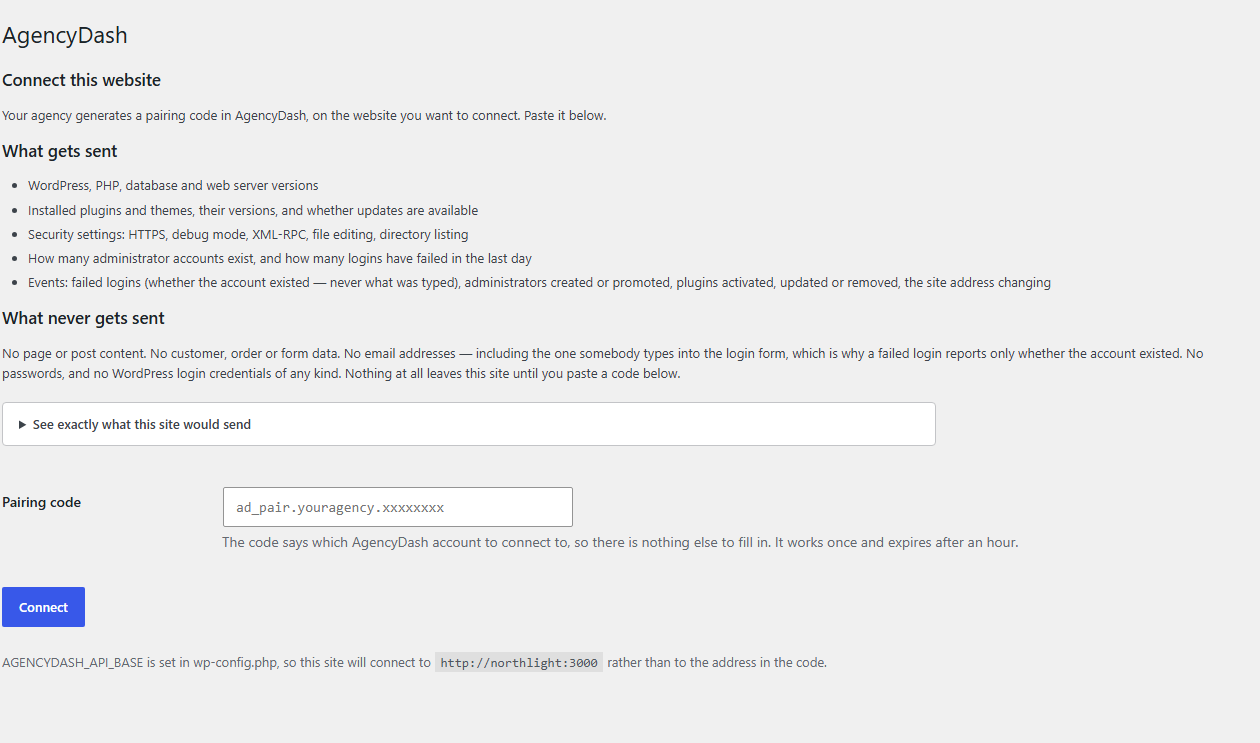
wp-config.php defines
AGENCYDASH_API_BASE, which pins where reports go and overrides the address carried
inside the pairing code. That line only renders when the constant is set. On an ordinary install
it is absent, and the code decides the destination.
Paste the code and press Connect.
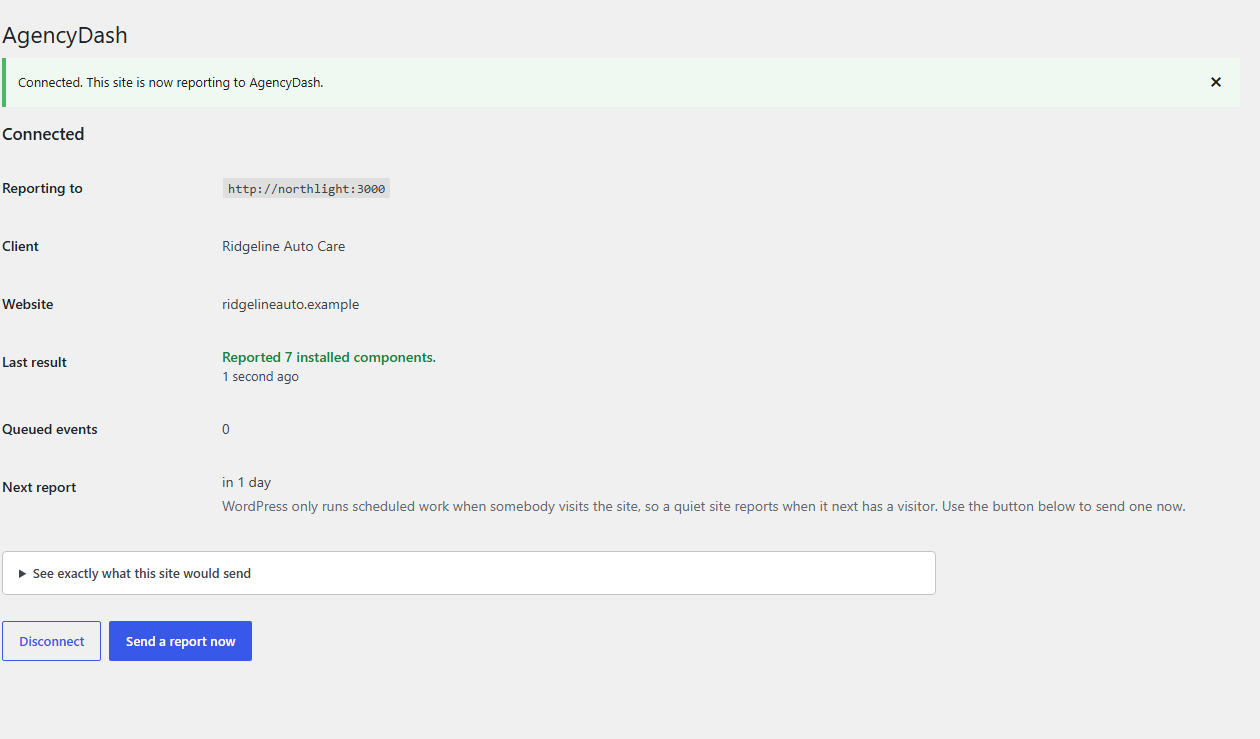
#5. Confirm it arrived
Back on the client record, the same row now reports. View goes to the site's page under Web Health; Disconnect is here rather than on the site.
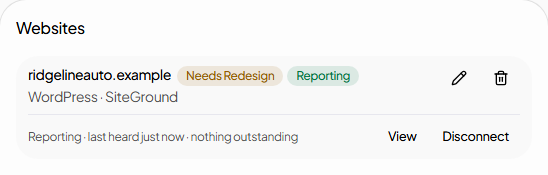
Findings do not appear instantly. The report is stored on arrival, but turning it into findings and tickets is a background job. Give it a few minutes, then look at Web Health or the client's ticket queue.
#Sites that go quiet
WordPress only runs scheduled work when somebody visits the site, so a site with little traffic reports rarely. That is normal and not a fault. Settings → AgencyDash → Send a report now forces one, and it is also the fastest way to turn "nothing is happening" into an error message worth reading.
After six hours of silence a site is marked Not reporting, which sorts above Critical on the fleet page. Web Health explains why: a critical finding is something known, and a silent plugin is everything the agency has stopped knowing about a site it believes is being watched.
#When it does not work
| What you see | Why | Do |
|---|---|---|
| No Connect button on the website row | Website Health is off for that client — by far the most common cause — or your role does not carry sites.manage. | Switch the module on under the client's Settings tab. |
| No Websites section at all | You are on the Overview tab. | Open Profile. |
| "That pairing code is not valid on this host" | The code was generated in a different workspace from the one the site reports to. The workspace is carried inside the code and checked against the website's actual owner, so an edited or mixed-up code cannot cross tenants. | Generate the code on the right website, in the right workspace. |
| The code is rejected as used or expired | Codes work once and last an hour, and generating a new one invalidates the last. | Press New code and paste the new one. |
| Pairing refused with the module disabled | Website Health was switched off between generating the code and redeeming it. It is checked again at redemption, not only when the button is drawn. | Switch it back on, then re-pair. |
| Connected, but the row says Not reporting | A quiet site, or a plugin that has stopped. | Send a report now on the site. If that errors, the message says why. |
| Reporting, but no findings | Evaluation runs as a background job, and a healthy site legitimately has none. | Wait a few minutes, then check Web Health. |
#Disconnecting
Disconnect on the website row stops the plugin being able to report and closes every open finding for that site. Everything already collected is kept. The plugin stays installed and can be re-paired with a new code; removing it from the site is a separate step in wp-admin, and uninstalling it there deletes every option it stored, including the credential.