Invoices
Draft, sent, overdue and paid — plus the printable copy your client receives.
/admin/invoices — invoices you have raised for your clients. These are your own
billing of your clients; your subscription with us is separate and lives in
Settings → Subscription.
#Where invoices come from
Invoices are generated from logged time, not typed by hand. Generate an invoice on this page takes you to Time and billing, which is where the button that creates one actually lives.
#The list
- All / Draft / Sent / Overdue / Paid.
- Client filter.
- Each row links to the invoice by reference and client name.
#An invoice
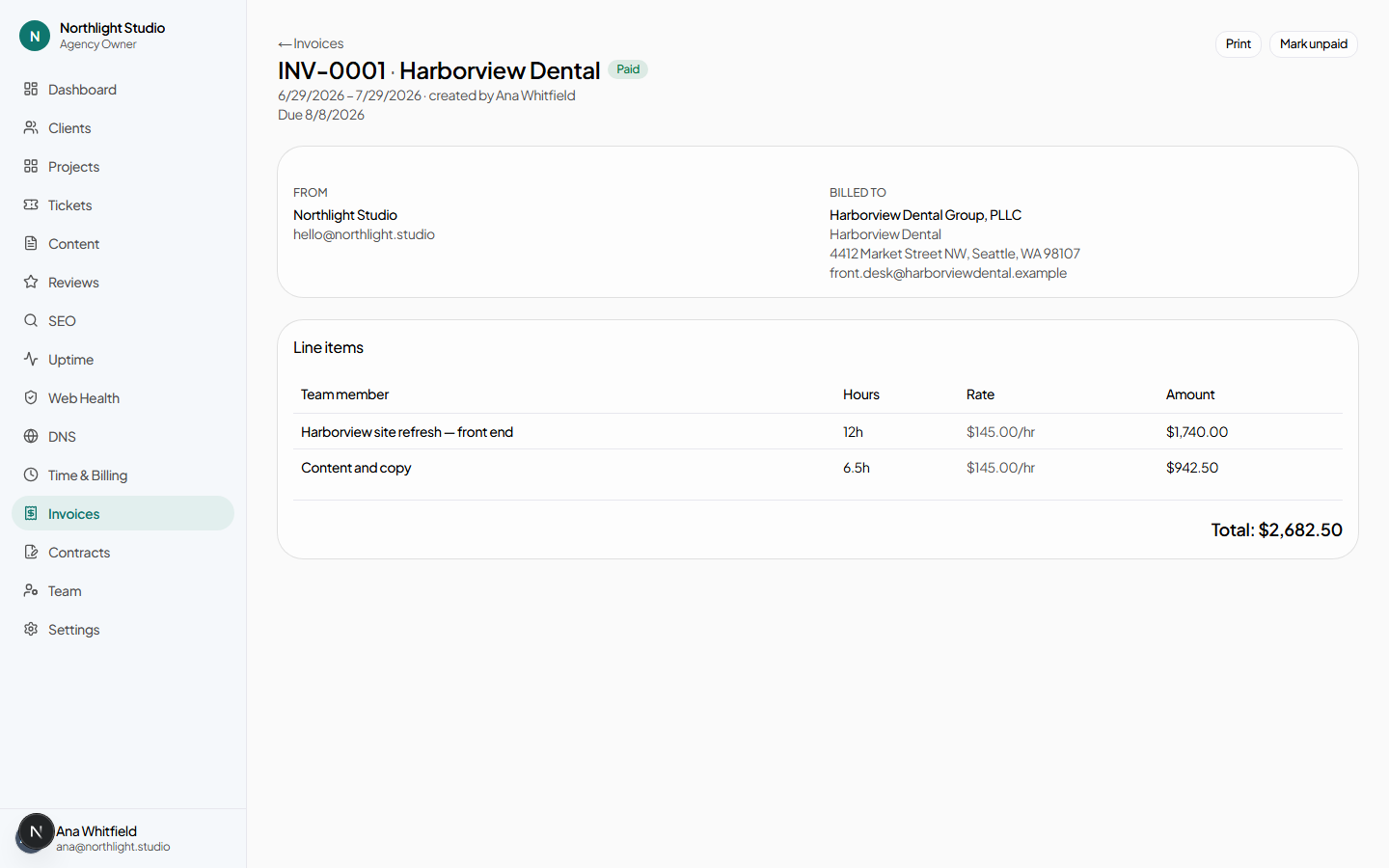
| Control | When it appears | What it does |
|---|---|---|
| Due date + Update | Always | Sets the date the invoice becomes overdue. |
| Notes + Save notes | Always | Free text that prints with the invoice. |
| Always | Opens the browser's print dialog against the print stylesheet. | |
| Mark sent | Draft only | Moves it out of draft. From here it can become overdue. |
| Mark paid | Sent or overdue | Closes it. |
| Delete draft | Draft only | Behind a confirmation. The underlying logged time is untouched and can be invoiced again. |
#Line items
Each line comes from a billable time entry: its note becomes the description, its hours the quantity, and the client's hourly rate the price. Write time-entry notes as though a client will read them, because one will.
#Printing and sending
The page carries a print stylesheet: the From and Billed to blocks, the line items, the total and the notes all render on paper without the navigation. Print, or print to PDF, and attach it to your own email.
There is no payment collection here — this records what you have billed, not what you have taken.
#Corrections
- Wrong hours, still a draft
- Delete the draft, fix the time entries, and generate again. The time is untouched by the delete.
- Wrong hours, already sent
- Deleting a time entry does not adjust an invoice that has already included it. Mark the invoice paid or handle it with the client, and correct the underlying entries so next month is right.
- Right hours, wrong rate
- Fix the rate on the client's Settings tab, delete the draft, and generate again. An already-sent invoice keeps the rate it was generated at.
#What the client sees
A client-side user holding agency.view_billing — the Client Owner role holds it by default — sees their own invoices and nothing else. Drafts are not shown; an invoice becomes visible to them when you mark it sent.